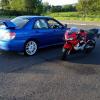
August 15, 201510 yr Hello all recently became the owner of no 233 Subaru gb270, have to say one off the best cars I've ever bought. Very pleased with it.
August 16, 201510 yr Welcome Stuart [emoji2] looks fantastic and hope you enjoy it... Any plans? Sent from my iPad using Tapatalk
August 16, 201510 yr Author Thanks mate enjoying it very much :) , have a years warranty with the car so going to save some cash up then I may start upgrading the engine a little maby a new turbo or some beefy internals cams ect but just loving the amount off grip these cars have in the bends . Great machine.
August 16, 201510 yr Hi Stuart welcome to S.O.C feel free to get stuck in mate on the forum friendly bunch on here :)
August 16, 201510 yr welcome to the club stuart,nice choice for your first subaru and allready talking about modding it :)
August 16, 201510 yr Author Hi Stuart welcome to S.O.C feel free to get stuck in mate on the forum friendly bunch on here :) Thanks mate I will be having a look round tonight to see how the form is set up also check out some off the pics off other members cars :)
August 16, 201510 yr Author welcome to the club stuart,nice choice for your first subaru and allready talking about modding it :) Thanks I've always been modifying my cars from I passed my test lol last car was an Audi s3 Quattro and a Toyota supra before that , petrol in the blood haha



Create an account or sign in to comment