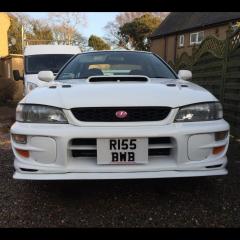
February 29, 201610 yr Hi guys so I tried putting my car through its test over here on the Isle of Man and one of the points it failed on was that it doesn't have a cat. so if I was to fit a sports cat would I need the car set up or will it run fine? seen one on jap speed for £250 I assume they're decent quality from there? cheers in advance
February 29, 201610 yr If you're only putting it on briefly for mot then I'd think the car will be fine. One issue you may have is if it was mapped for the decat the fuelling will have changed and fitting a cat may still fail emissions.
February 29, 201610 yr Author I think it was mapped for the exhaust as I got a receipt for JGM to remap it when it first came over but it was dyno'd last year and is pretty much standard power so I'm assuming it was just being set up for that exhaust. Also I don't think they actually do an emissions test they just check for a cat by the sounds of it but If I'm going to spend a decent amount for a high flow sports cat I might as well leave it on
February 29, 201610 yr If the check is to make sure you have one, why not pick up a 2nd hand standard cat and just install it for MOT purposes? Cheaper for you and still have the benefits of decat! :D
February 29, 201610 yr Author I wish it was that easy seems to be a lack of scoobs over here and if people go decat they get rid of the cat because they don't get tested again, but I think I'd rather have a sports cat for peace of mind in case I do get pulled over and checked in future (yes I know I'm a little goody two shoes 😛)



Create an account or sign in to comment