June 11, 20169 yr These 2 are a bit special, Leone 1.8 turbo coupes, the red one was the last to be taxed on the road 8 years ago and the blue/white one is a sprint/hill climb car, custom coilovers, forged 1.8, wrx turbo, launch controll He also has another pickup, impreza and a grey 1.8 turbo Leone coupe in a shed totally stripped that he has owned for 18years and there is another coupe in a barn down the road owned by a friend. We are hoping to get the blue and white one sorted soon.
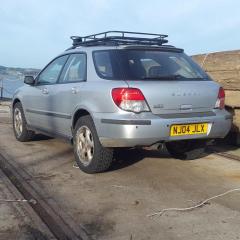
June 11, 20169 yr What's the crack with the leggy and import Wrx? Some value in the blocks alone ! Sent from my SM-G930F using Tapatalk
June 12, 20169 yr Author One of them will hopefully be donating running gear into one of the Leone coupe's
June 12, 20169 yr Hi there I see that subaru brat pick up .is this forsale as I know someone's interested in one for a project 😀
June 12, 20169 yr Nice collection of olds cool scoobies[emoji41] I'd have probably been interested in a brat project, if I had the space to put it If it's not broke .....upgrade it 😊



Create an account or sign in to comment