Do Not Sell My Personal Information Jump to content
View in the app

A better way to browse. Learn more.

Subaru Owners Club UK | Subaru Forums

A full-screen app on your home screen with push notifications, badges and more.

To install this app on iOS and iPadOS
  1. Tap the Share icon in Safari
  2. Scroll the menu and tap Add to Home Screen.
  3. Tap Add in the top-right corner.
To install this app on Android
  1. Tap the 3-dot menu (⋮) in the top-right corner of the browser.
  2. Tap Add to Home screen or Install app.
  3. Confirm by tapping Install.

Featured Replies

Good evening everyone,

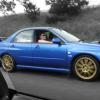
My name is Darren, im currently driving a 51reg Uk300 (number 89) that i have had for 4 years now and still loving it.


Cheers

Daz

post-2050-0-89570300-1393183632_thumb.jp


Hello mate welcome to the club 

Always nice to see some Bugeyes coming and even more so being a UK300 :D


And it looks amazing too very well looked after :)


hey, nice car dude, nice n shiny

  • Author

Cheers guys for the warm welcome

You're welcome and please feel free to join in on the forum nobody bites here unless you ask nicely and talk dirty to them ;) 

Create an account or sign in to comment


Background Picker
Customize Layout

Configure browser push notifications

Chrome (Android)
  1. Tap the lock icon next to the address bar.
  2. Tap Permissions → Notifications.
  3. Adjust your preference.
Chrome (Desktop)
  1. Click the padlock icon in the address bar.
  2. Select Site settings.
  3. Find Notifications and adjust your preference.