Do Not Sell My Personal Information Jump to content
View in the app

A better way to browse. Learn more.

Subaru Owners Club UK | Subaru Forums

A full-screen app on your home screen with push notifications, badges and more.

To install this app on iOS and iPadOS
  1. Tap the Share icon in Safari
  2. Scroll the menu and tap Add to Home Screen.
  3. Tap Add in the top-right corner.
To install this app on Android
  1. Tap the 3-dot menu (⋮) in the top-right corner of the browser.
  2. Tap Add to Home screen or Install app.
  3. Confirm by tapping Install.

New to Subaru but... i get it.

Featured Replies

Sorry mate yeah we have the first gen foz sf from 97-02

The version 3/4 & 4/5 comes from the impreza as they share 95% of the same parts. So we got the last of the ver 3/4 engines in the early foresters and you got the newer 4/5 engine in the 99-00 foz :-D


  • Replies 134
  • Views 12.5k
  • Created
  • Last Reply

Top Posters In This Topic

Most Popular Posts

  • Ours have different trubo, different compression ratio, grey 380cc injectors as rick says, along with a few other bits, different coil packs and intercooler. Think ricks is based on the ver 4/5 imprez

  • R0llamite
    R0llamite

    My favourite thread title ever^^ and yeah you will find a generally better reception here than anywhere else, Scoobynet is just full of mid life crisis blokes telling everyone to they'll need a remap

Posted Images

Lol theres a t reg uk car near me and another import in green near me too plus a silver uk on a y reg. but they don't have the spoiler or other bits that I have on mine :-D

So which was the best engine? version 3/4 or 4/5

Hand book mentions nothing about suspension lol

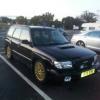
This is how mine sits with it empty


photo6-1.jpg


  • Author
post-2769-140984549481_thumb.jpg
  • Author

Mine with a load of stuff in the back

  • Author

Mine with a load of stuff in the back

About 6 meters of old fence :mellow:
  • Author

Cheers man, is a bit lower on the back than front..


Create an account or sign in to comment


Background Picker
Customize Layout

Account

Navigation

Search

Configure browser push notifications

Chrome (Android)
  1. Tap the lock icon next to the address bar.
  2. Tap Permissions → Notifications.
  3. Adjust your preference.
Chrome (Desktop)
  1. Click the padlock icon in the address bar.
  2. Select Site settings.
  3. Find Notifications and adjust your preference.