August 16, 201411 yr This car is also on pistonheads, either view add on site for further details, or pm me! http://www.pistonheads.com/classifieds/used-cars/subaru/impreza-sti/subaru-impreza-im6-wrx-sti-2008/2662978?isexperiment=true
August 16, 201411 yr any chance of the pistonheads link for us lazy buggers ;) good luck with the sale
August 17, 201411 yr Mate dont you know it - watching so many choice machines coming through this part of the forum has been a test I can tell you but hopefully things may be taking a turn in the near future and I can get something sorted ;)
August 17, 201411 yr just gone through the ad IMO that is a great car for the money - hope it goes to someone who will continue to appreciate it
August 17, 201411 yr Author Thanks for looking at the add, car really is an absolute machine, i did try linking the add to your previous comment, but being new here i couldn't work out how to do it. Don't fancy making an offer than ' Jay762 ' open to offers, or not quite what your looking for??
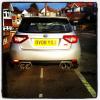
August 17, 201411 yr Author More high quality pictures can be sent on request, cant believe the lack of actual genuine interest on this car!! When i first saw it come online for sale i jumped at it! im thinking that people are maybe not too keen on this shape, but as we all know pictures do no justice, and this is a prime example!
August 17, 201411 yr It would be exactly what I am looking for however Im not quite in the position to make an offer - If things change in the next few weeks I would be arranging a viewing - rest assured, but at this point I am unfortunately still to be classed as a dreamer / time waster



Create an account or sign in to comment