GeoffLeggy
Moderators
-
Joined
-
Last visited
Everything posted by GeoffLeggy
-
-
Fingers crossed for you mate. Always gonna happen at the worst time.
-
Was it the rad end that broke? Mine did the same, new rad
-
Somethings broken, take it in.
-
Over ambitious to say the least lol
-
Looks !Removed! lovely! Best way to blow a house deposit , o yeah and become single.
-
1US gallon, £96 for an oil change then? Good top up left though
-
Also check your main turbo hose is tight. Been there before!
-
The silver one is nice and stock too which is nice. Id be looking at that one first.
-
Welcome! Injectors clean? Maf good? O2 sensor good? Some starting points.
-
-
-
-
Yes sorry all places filled but do keep an eye out for Japshow Finale later in the year. I will be doing the same for that.
-
-
-
Had to take mine off cause it started to smell 😷.
-
Some advice I saw. Fill your sink or a tub with warm soapy water and add the white vinegar. Submerge your mat(s) in the water and let them soak for at least 30 minutes. Scrub the mat(s) with a clean cloth and then rinse with clean water. Leave them outside to dry, preferably in the sunlight for at least 3 hours. Good weather for it luckily. Apparently the uv from Sun helps.
-
This chap has one for £20 😀👍 http://m.ebay.co.uk/itm/Breaking-1997-Subaru-Legacy-GX-/142406734331?hash=item21281a51fb%3Ag%3AG4gAAOSwol5YvZoI&_trkparms=pageci%3A930aa1c2-5007-11e7-b01e-74dbd180ccee%7Cparentrq%3Aa04b5a7115c0ab454f670277fff2331b%7Ciid%3A2
-
Hi, Are you wanting a new one or just one that works?
-
@JamesJDMwagon did you get the other car to witness?
-
Car battery with a little life will run the dash lights but won't turn over. Check that first then on to immobiliser
-
This exact same thing happens to mine when the car battery is dead.
-
How many miles has the car done? My initial thought would be blow past on a ring.
-
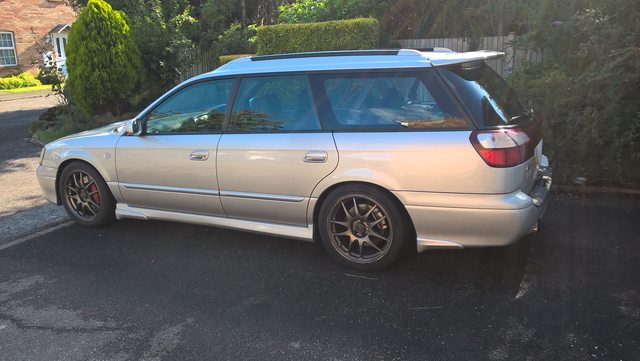
I love it's stance!