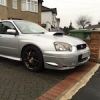
December 14, 201411 yr Hi All, This is my first venture into the jap scene as ive always been a VAG man. But ive always had a soft spot for these and so far all I can say is wow! What a machine (2001 wrx saloon). So different from the usuall tts/gtis/r32s ive owned (still got my mk4 r32 tho :D ). Look forward to many years of ownership and gudiance on here ;) Will get some pics up once ive given her the full detailing treatment! Jon
December 14, 201411 yr Hi mate welcome to S.O.C I'm amazed how many Vag owners come over to Subaru ownership I'd call it a step up in a completely bias view of course ;)
December 15, 201411 yr Hi and welcome , glad you're enjoying the scoob [emoji106] I've got a few mates into their vag stuff and although they like the look of my flat 4 they recon it should be in the back [emoji39]



Create an account or sign in to comment