Do Not Sell My Personal Information Jump to content
View in the app

A better way to browse. Learn more.

Subaru Owners Club UK | Subaru Forums

A full-screen app on your home screen with push notifications, badges and more.

To install this app on iOS and iPadOS
  1. Tap the Share icon in Safari
  2. Scroll the menu and tap Add to Home Screen.
  3. Tap Add in the top-right corner.
To install this app on Android
  1. Tap the 3-dot menu (⋮) in the top-right corner of the browser.
  2. Tap Add to Home screen or Install app.
  3. Confirm by tapping Install.

Featured Replies

been into subarus for a while so thought i would join soc


  • Author

thanks


  • Author

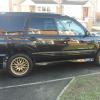
a 2000 subaru forester sti type m auto 

  • Author


just a couple of pics of my car

post-3979-0-79265700-1425767547_thumb.jp

post-3979-0-76493600-1425767568_thumb.jp

post-3979-0-92083100-1425767591_thumb.jp

post-3979-0-86351400-1425767611_thumb.jp

post-3979-0-91058600-1425767633_thumb.jp

post-3979-0-14265700-1425767658_thumb.jp

  • Author

hi welcome

thanksterry


  • Author

Nice choice [emoji106]

Not to many earlier foz sti's about [emoji6]

Stants will be along shortly , when he's stopped licking his phone screen [emoji4]

trying to sell it at min and get a impreza again

  • Author

Thanks jay

Hello welcome, nice foz has it been put on smaller rims ?

  • Author

no it has two wheels parked up on a kerb think they are standard sti bbs alloys


Create an account or sign in to comment


Background Picker
Customize Layout

Configure browser push notifications

Chrome (Android)
  1. Tap the lock icon next to the address bar.
  2. Tap Permissions → Notifications.
  3. Adjust your preference.
Chrome (Desktop)
  1. Click the padlock icon in the address bar.
  2. Select Site settings.
  3. Find Notifications and adjust your preference.