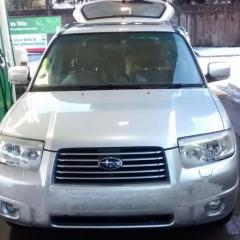
January 18, 20179 yr On a 55 plate 2006 forester 2l petrol With factory unit 6cd changer type But it doesn't have mp3 compatibility or aux option? Someone suggested the possibility of adding a Bluetooth dongle to the rear of the existing unit ! Is this an option? Or is it possible to buy replacement stereo units with all the functions of our modern life?
January 18, 20179 yr A replacement unit is an option although dependant on model you may lose any steering wheel controls. Not heard of the bluetooth dongle option in the rear but dependant on what input would be connecting it to there may be a cable option also
January 18, 20179 yr Author This is the radio unit type With no AUX setting that I can see I'm unsure where I would stand with a BT unit And also not sure where to start to replace the unit?
January 19, 20179 yr looks like a double din unit, food for thought but there are many to choose from with differing styles and functionality https://www.dynamicsounds.co.uk/kenwood-dpx-7000dab-cd-car-stereo-dab-radio-bluetooth-usb-aux-ipod-iphone-player-aerial.html You may need one of these? https://www.dynamicsounds.co.uk/subaru-steering-wheel-interface-adaptors.html
January 19, 20179 yr Hi seen your thread this might help ,just fitted GROM unit from grom audio .brilliant hands free phone bluetooth and took less than hour to fit cost £109.other options were kits for memory sticks etc .might be worth a look on site
January 20, 20179 yr Author Thanks everyone for this As time permits with work), I'll look in to this and report back
January 20, 20179 yr Grom link http://gromaudio.co.uk/partfinder/product/list/?make=Subaru&model=Forester&year=2004-2014 (check radio model number)



Create an account or sign in to comment