Do Not Sell My Personal Information Jump to content
View in the app

A better way to browse. Learn more.

Subaru Owners Club UK | Subaru Forums

A full-screen app on your home screen with push notifications, badges and more.

To install this app on iOS and iPadOS
  1. Tap the Share icon in Safari
  2. Scroll the menu and tap Add to Home Screen.
  3. Tap Add in the top-right corner.
To install this app on Android
  1. Tap the 3-dot menu (⋮) in the top-right corner of the browser.
  2. Tap Add to Home screen or Install app.
  3. Confirm by tapping Install.

Featured Replies

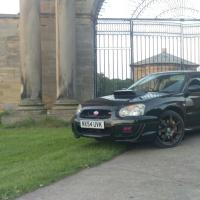
I have a Garrett GT3582R the I got for a project, however due to my first born due in a few weeks this project won't be getting finished, so I'm selling up and throwing some money at the scoobie instead 😁

I can get more info if there is any interest in it 😊

2b3df3a66e4189f5e79d9cde7a91a3da.jpg


  • Author

I'll get some more pictures etc tomorrow night 👍

Sent from my HTC One M9 using Tapatalk

Just had a Google, probs too big for my needs as says 400-600+ bhp, won't hurt to stick some info up I spose, is it Subaru fitment exhaust housing


  • Author

GT3582R, 3" V band down pipe fitment, 100mm intake opening, seem to think it's T4 fitment, but will need to check tonight to confirm...

Price wise, £600 sound fair?

Sent from my HTC One M9 using Tapatalk

Create an account or sign in to comment


Background Picker
Customize Layout

Configure browser push notifications

Chrome (Android)
  1. Tap the lock icon next to the address bar.
  2. Tap Permissions → Notifications.
  3. Adjust your preference.
Chrome (Desktop)
  1. Click the padlock icon in the address bar.
  2. Select Site settings.
  3. Find Notifications and adjust your preference.