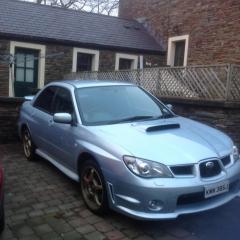
April 6, 20179 yr Hi all I'm new here was just wanting to get some advice my rev limiter seems to come in at 5600 this seems a bit low to me is there a way to adjust it my car is a 2006 Hawkeye wrx
April 7, 20179 yr Hi, Your rev limit should be just over 7K. Its an electronic function set in the ECU. Does you car have any aftermarket bits? Are you 100% its a limiter your reaching and not something else. Is it consistent in every gear and drives normally up to that point?
April 7, 20179 yr Author hi it's got a panel filter and back box are the only mods I can tell at the minute I've only had it a few months same in every gear car drives good in every other way
April 7, 20179 yr Something def not right, while you dont need to rev it all teh way to the redline you should easily get it to 6k
April 7, 20179 yr 1 minute ago, Phillip1993 said: Sounds like some kind of limp mode Thought crossed my mind initially.
April 7, 20179 yr Get this checked out asap, could be pulling timing due to detonation, very bad on a hawk !!
April 8, 20179 yr Author It bounces off like its hit the Rev limit its got plenty off pull upto that point it just catches you out as it gets there so quick it's going for cambelt shortly so will see if they can find anything with thanks for the advice guys if anyone else can think of anything please let me know
April 20, 20179 yr Author Just a thought but if someone had put a manual boost control on and locked it in its lowest position would it cause the same issue I'm having with the Rev limit being so low
April 22, 20179 yr the boost control may cause an error but that would cause CEL or limp mode not lower the rev limit



Create an account or sign in to comment