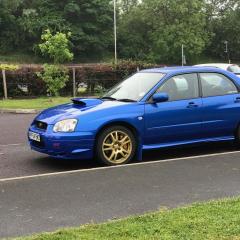
May 17, 20179 yr Just debating whether or not to try MTEC brake disc on the front of my 04 wrx sti. Has anyone fitted these to their scooby or any other car and if so how did they perform? Was gonna go for the grooved and dimpled disc as opposed to the drilled. Any thoughts most welcomed.
May 17, 20179 yr they seem extremely cheap even comparing to ebay prices on other brands. O idea what they are actually like though.
May 17, 20179 yr Author That's what's putting me off they seem to cheap to be good. Hope I'm wrong and someone has tried them with good results.
May 17, 20179 yr I wouldn't again. I fitted the dimpled & grooved ones to my WRX. Lasted 6 months before the warped. I've replaced them with Brembo from EuroCarParts. They've only been on a couple of months but so far so good. Sent from my HTC Desire 530 using Tapatalk
May 17, 20179 yr Www.godspeedbreaks.co.uk good stuff at competitive prices Sent from my SM-G930F using Tapatalk
May 19, 20179 yr Author Well after looking round different sites iv gone for the black diamond drilled + grooved disc for the front. Demon tweeks are doin them for £150 cheers for the input lads 👍👍👍
May 19, 20179 yr Just for anyone else who may be wondering the same question I bought mtec brake discs for my old 1.8 celica, I drive fast but not track fast, as you never know whats on the other side of a welsh mountain corner and they warped within a few months, spent a bit extra on some plain, no dimples etc brembos and didnt look back. Stuck with them ever since.



Create an account or sign in to comment