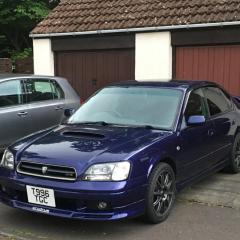
July 19, 20178 yr Hi all. Well I'm new to this forum stuff so please be gentle. I'm on my second Legacy B4 and love these cars. Just got mine back after 2 years in the garage ( don't ask ). About myself, well I'm a 30 something stuck in a 50 somethings body. Just a kid at heart. Being honest, I had no interest in scooby' s until I bought one on a whim. Loved it. Didn't realise what I was missing. Why did it take me so long 😉. Anyway, feel free to contact me as I'll be looking for advice.
July 19, 20178 yr 1 hour ago, mattiekane said: Welcome aboard Sent from my HTC One M9 using Tapatalk I hate it how u still copy me 😋 Welcome aboard mate
July 22, 20178 yr Wotha and welcome - I was also late to the party, trying to make full use of the time now though
July 23, 20178 yr How I ended up with my legacy, needed a car, put a maximum price on eBay then just saw what was about :) Saw it online, was £550 ono (non turbo) and didn't even bother with making an offer as it seemed a pretty low price. Had a cracked windscreen, hole in the exhaust but went to every service ... (until I owned it :| ) Now approaching 200,000 miles on the odo, still feels nice to drive :) Sent from my iPad using Tapatalk



Create an account or sign in to comment