Do Not Sell My Personal Information Jump to content
View in the app

A better way to browse. Learn more.

Subaru Owners Club UK | Subaru Forums

A full-screen app on your home screen with push notifications, badges and more.

To install this app on iOS and iPadOS
  1. Tap the Share icon in Safari
  2. Scroll the menu and tap Add to Home Screen.
  3. Tap Add in the top-right corner.
To install this app on Android
  1. Tap the 3-dot menu (⋮) in the top-right corner of the browser.
  2. Tap Add to Home screen or Install app.
  3. Confirm by tapping Install.

Featured Replies

Hey guys, been away for a while. Moved jobs etc. and haven’t had loads of time to mess around with everything.

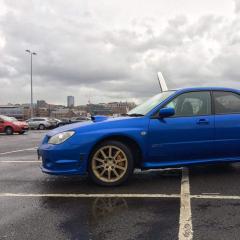
Anyways, looks like the Subaru paid for itself! I wouldn’t be going to Shell and putting V Power in without it. Some of you might remember that little thing they did. Put £30 in and get a voucher to win the driving holiday? Yeah well, I’ve only gone and won it! Full expensed (aside from 2 meals a day) paid trip to one of five locations (Andalucia, Catalonia, Germany/Austria, Crete, French Riviera) for me, my lass, and little lad! We chose French Riviera. Just got confirmation of the hotels and everything, all minimum of 4* and the hotel in Marseille has a balcony and view of the port 👌🏻👍🏻

6C11FEDF-625B-4D38-AD62-EE2554635E87.png

B382208F-98E7-4FD8-B2BC-9FD4EA853133.png


i'm not jealous..................................much...:2guns:


lucky you, have a great time, bon voyage !


Happy days mate.  Enjoy.

  • Author

Aye proper chuffed. Cheers everyone. 😊

Create an account or sign in to comment


Background Picker
Customize Layout

Configure browser push notifications

Chrome (Android)
  1. Tap the lock icon next to the address bar.
  2. Tap Permissions → Notifications.
  3. Adjust your preference.
Chrome (Desktop)
  1. Click the padlock icon in the address bar.
  2. Select Site settings.
  3. Find Notifications and adjust your preference.