Do Not Sell My Personal Information Jump to content
View in the app

A better way to browse. Learn more.

Subaru Owners Club UK | Subaru Forums

A full-screen app on your home screen with push notifications, badges and more.

To install this app on iOS and iPadOS
  1. Tap the Share icon in Safari
  2. Scroll the menu and tap Add to Home Screen.
  3. Tap Add in the top-right corner.
To install this app on Android
  1. Tap the 3-dot menu (⋮) in the top-right corner of the browser.
  2. Tap Add to Home screen or Install app.
  3. Confirm by tapping Install.

Featured Replies

SELLING OR WILL SWAP FOR 5x100

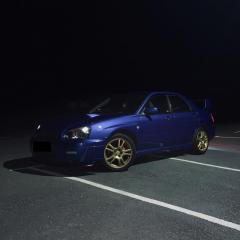
Subaru Impreza STI Rims and tyres

All rims in great condition, few scuffs and slight curbing on one (pictured)

2 front tyres are great condition and Firestone

2 Back slightly worn on inside but still completely legal

225/45/17R 91W

17” Rims, 5x112 PCD

Only selling as they don’t fit my car

£160 ono

E9DF4EBC-3E55-45C7-9623-BE71C3337347.jpeg

01D7E512-EA8B-4300-BCD4-49B1115F4829.jpeg

0F17CA42-2443-4D12-93AE-2755FB7F0EEF.jpeg

F8DC9D10-C675-420E-A4F4-F0350E928128.jpeg

89D45579-2832-4A81-9459-D9944A983BA7.jpeg

1053B4AA-2E41-46B0-99E3-6955F8BCF245.jpeg

1B7407EA-0805-4848-8EDD-DEFE2B3CEC30.jpeg


Create an account or sign in to comment


Background Picker
Customize Layout

Configure browser push notifications

Chrome (Android)
  1. Tap the lock icon next to the address bar.
  2. Tap Permissions → Notifications.
  3. Adjust your preference.
Chrome (Desktop)
  1. Click the padlock icon in the address bar.
  2. Select Site settings.
  3. Find Notifications and adjust your preference.