Do Not Sell My Personal Information Jump to content
View in the app

A better way to browse. Learn more.

Subaru Owners Club UK | Subaru Forums

A full-screen app on your home screen with push notifications, badges and more.

To install this app on iOS and iPadOS
  1. Tap the Share icon in Safari
  2. Scroll the menu and tap Add to Home Screen.
  3. Tap Add in the top-right corner.
To install this app on Android
  1. Tap the 3-dot menu (⋮) in the top-right corner of the browser.
  2. Tap Add to Home screen or Install app.
  3. Confirm by tapping Install.

impreza gc8 vers 5-6

Featured Replies

  • Author

I have uno spazio accanto agli altri miei auto :)

no no :D


it would work out just fine - I would fit all of the tasty aftermarket bits and make sure there were enough test miles on it for you so when you had it back you would know it all worked great :D


In fact Miggs and I could share the testing for you  :lol: 

I'm fine with this as long as you come my way so we can all have a test at Cadwell Park in it for the day ;) 

Aww thats a shame about the modifications side but good stuff there is a way around it very tidy motor though mate

  • 8 months later...
  • Author

electric vacuum pump for servo brake , very useful in braking when the anti lag is on


apydy8e5.jpg


Nice car that's mad with. The laws can u not get away with not noticeable mods like under bonnet

  • 3 months later...

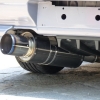
Nice car mate and I really like the back box as well

  • Author

thanks ! :D

thats an awesome car man, looks lovely

Create an account or sign in to comment


Background Picker
Customize Layout

Account

Navigation

Search

Configure browser push notifications

Chrome (Android)
  1. Tap the lock icon next to the address bar.
  2. Tap Permissions → Notifications.
  3. Adjust your preference.
Chrome (Desktop)
  1. Click the padlock icon in the address bar.
  2. Select Site settings.
  3. Find Notifications and adjust your preference.