May 26, 201411 yr Just purchased 2 SOC stickers (lol @ delivery charge) im thinking sticking them on the rear side windows but open to opinions, where is yours stuck....? Pics would be good if pos.
May 27, 201411 yr Why how much was the delivery ? I have a sunstrip when I get the part I knackered up :D and 3 little ones on each side of the back bumper and one just below the Subaru on the boot :) Not sure if you had seen the post I made if you wanted different ones doing I could have sorted that. I'm guessing deliver and stickers would have been cheaper too
May 27, 201411 yr Author Think it was 4.50 delivery for 2 stickers kinda expensive considering i first class stamp would cover it lol. Ok cool still undecided where to put mine.
May 27, 201411 yr I was lucky bought mine before mufflebox was running store so paid about a quid postage. Stuck it out of the way of any enthusiastic had car wash bods attacking it with a lance and wont get deatroyed by wiper either
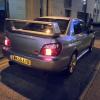
May 27, 201411 yr i don't have any yet but i will be getting some oversized ones made up and be putting them where the yellow line is...
May 27, 201411 yr Be cheaper to buy the looks of the postage :D Just about to email Steve for you now mate about the postage.
May 27, 201411 yr Author Cheers for the pics lads, do kinda like central position on rear window. Hmmmmm
May 27, 201411 yr Cheers for the pics lads, do kinda like central position on rear window. Hmmmmm The man has taste lol [emoji14] Sent from my iPhone using Tapatalk



Create an account or sign in to comment