Do Not Sell My Personal Information Jump to content
View in the app

A better way to browse. Learn more.

Subaru Owners Club UK | Subaru Forums

A full-screen app on your home screen with push notifications, badges and more.

To install this app on iOS and iPadOS
  1. Tap the Share icon in Safari
  2. Scroll the menu and tap Add to Home Screen.
  3. Tap Add in the top-right corner.
To install this app on Android
  1. Tap the 3-dot menu (⋮) in the top-right corner of the browser.
  2. Tap Add to Home screen or Install app.
  3. Confirm by tapping Install.

What the bloody hell have I got?

Featured Replies

Here I was thinking I had brought myself a subaru impreza, oh !Removed! hell was I wrong! To be honest I don't know what I have.

I have a subaru impreza gx sportswagon 2.0 auto, BUT, everywhere I look it's bugeye, blob eye, hawk eye!

AND THEN

it's it a v1, v2, v7 or v284?????

Please don't think that I am stupid I just don't know what it is, can anyone help?


What year is it mate....regardless, you have what is commonly know as a wagon

  • Author

2002 sorry to sound like a knob but I can't help it ha ha ha

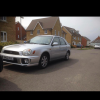
If it's the one in the pic it's a version 7 mate bug eye

  • Author

If it's the one in the pic it's a version 7 mate bug eye

Thank you Matt Cheers for clearing that up melt down avoided

Here I was thinking I had brought myself a subaru impreza, oh !Removed! hell was I wrong! To be honest I don't know what I have.

I have a subaru impreza gx sportswagon 2.0 auto, BUT, everywhere I look it's bugeye, blob eye, hawk eye!

AND THEN

it's it a v1, v2, v7 or v284?????

Please don't think that I am stupid I just don't know what it is, can anyone help?


I was in exactly the same situation when I first got into Subarus :D

  • Author

It's a pain Jay not had a clue what I was looking at parts

The names, bug, blob and hawk are nick names to describe the headlights. Yours are round and look like a bug eye...a fly or something. Mine are..err...well blobby.

Bug

post-2293-140765793485_thumb.jpg

Blob

post-2293-140765795073_thumb.jpg

Hawk

post-2293-140765797549_thumb.jpg

  • Author

Loving this forum for all the help I'm getting Cheers


Create an account or sign in to comment


Background Picker
Customize Layout

Account

Navigation

Search

Configure browser push notifications

Chrome (Android)
  1. Tap the lock icon next to the address bar.
  2. Tap Permissions → Notifications.
  3. Adjust your preference.
Chrome (Desktop)
  1. Click the padlock icon in the address bar.
  2. Select Site settings.
  3. Find Notifications and adjust your preference.