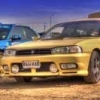
July 2, 201312 yr New member signing in. Based in Coventry in the Midlands. Currently have a couple of Legacy GTB models, although one is off the road going through a major mechanical rebuild at the moment. My subaru background: Owned several Legacies over a 9 year period, been fixing them for around 9 years too :) Have been doing major engine rebuilds for about 7 yrs and have recently started a business with my son doing just that. Here's a pic of my old Legacy RS And one of my project car, mines the one on the left. My sons RS-B on the right
July 2, 201312 yr Hi mate welcome to S.O.C And that's a nice long history list of Subaru's . And think its great that you have set a business up doing what you enjoy. and handy if you have time for us with advise too :D and you never know you might be able to put some work your way we do have a few members on here from your neck of the woods ;)
July 2, 201312 yr Wotcha and welcome - great to have you on board any business I can put your way I will do
July 3, 201312 yr Welcome aboard fella, you should be a good font of knowledge for those needing advice on engines I take it?
July 3, 201312 yr Yeah he been on awhile signed up around the same time when Adam and Scooby Pete signed up :D



Create an account or sign in to comment