Do Not Sell My Personal Information Jump to content
View in the app

A better way to browse. Learn more.

Subaru Owners Club UK | Subaru Forums

A full-screen app on your home screen with push notifications, badges and more.

To install this app on iOS and iPadOS
  1. Tap the Share icon in Safari
  2. Scroll the menu and tap Add to Home Screen.
  3. Tap Add in the top-right corner.
To install this app on Android
  1. Tap the 3-dot menu (⋮) in the top-right corner of the browser.
  2. Tap Add to Home screen or Install app.
  3. Confirm by tapping Install.

new member from the north east

Featured Replies

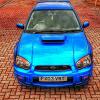
Hi my name is Michael I am from the north east of England in redcar, this is my 03 blob eye wrx sti type uk with the prodrive exhaust. I'm not sure what moddifications have been done but I have a rolling road print out for 350bhp.

post-4007-0-07729700-1426182737_thumb.jp

post-4007-0-32941400-1426182763_thumb.jp

post-4007-0-42816000-1426182787_thumb.jp


Hi mate welcome, nice figures there, feel free to have a poke round the forum and get stuck in [emoji16]

Good looking example that.....welcome aboard! Always good to see some more locals signing up [emoji106]

Sent from my iPhone using Tapatalk

  • Author

Thanks for the welcome guys

You'll have to excuse the randomness that goes on mid topic half the time but this is one of the most laid back and easy going forums I've been on. No question too daft or request far fetched !


hello welcome car is looking smart as a dart 

Hi mate welcome to S.O.C 

A lovely looking Blobeye :) 

  • Author

Thank you everyone and cheers I'm making sure it's getting well looked after and kept looking smart

  • 2 weeks later...

Create an account or sign in to comment


Background Picker
Customize Layout

Account

Navigation

Search

Configure browser push notifications

Chrome (Android)
  1. Tap the lock icon next to the address bar.
  2. Tap Permissions → Notifications.
  3. Adjust your preference.
Chrome (Desktop)
  1. Click the padlock icon in the address bar.
  2. Select Site settings.
  3. Find Notifications and adjust your preference.