August 3, 201510 yr Hi Welcome to S.O.C forum I see you're on our Facebook page I've voted on your car :) for car of the month.
August 3, 201510 yr welcome to the club. I think i have seen this car near Waterlooville before! Amazing looking motor!!!
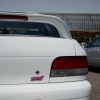
August 3, 201510 yr Author Hi guys. Ive had it about a year now. Not done much to it apart from adding the wheels. Must admit its only been in the UK since 2009 and had a respray before I got it at some point so thats why it looks so clean. Thanks for the vote Gambit. Sent from my LG-D855 using Tapatalk
August 3, 201510 yr No problem and thanks for making the effort to come on the club stand. Not the biggest event we've ever done :( had 2 drop with mechanical issues didn't help :(
August 8, 201510 yr Nice one mate, I'm in arundel getting some meets together got Goodwood coming up soon.



Create an account or sign in to comment