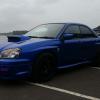
October 9, 201510 yr Hi all just pick up my subaru impreza wrx sti 2004 type uk. I have had two subaru impreza wrx's before but we're just cheap ones and I absolutely love them.I'm from cardiff Wales and wouldn't mind meeting up some time to find out more about my car as it has been highly modified.and I haven't got a clue what the computer thing does on the side by the passengers leg does. Lol.
October 9, 201510 yr Welcome! Pictures are always welcomed. Plus a picture of the unknown computer thingy- someone might be able to identify it Sent from my iPhone using Tapatalk
October 9, 201510 yr Hello & welcome ! Could be a turbo timer or boost controller or something completely random
October 11, 201510 yr Author I can't post pics off my phone it's saying file 2 big. Will get some on here ASAP. Sent from my SM-G900F using Tapatalk
October 11, 201510 yr Author hi I have 2 resize all my photos so guna take me a while. Sent from my SM-G900F using Tapatalk
October 11, 201510 yr Author here is the computer thing.lol any help in telling me what it is or does would b great Sent from my SM-G900F using Tapatalk
October 11, 201510 yr Author Ok cheers m8. I've only just bought the car and it's had all the mods done pushing out 402.9bhp. Sent from my SM-G900F using Tapatalk
October 11, 201510 yr Looks like the previous owner has spent a lot on it and it looks like a nice clean example ,good darts [emoji106] I think we've got a few members in your area hopefully they'll be along to say hello and point you in the direction of any meets [emoji6]



Create an account or sign in to comment