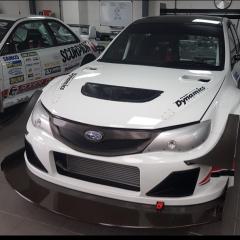
April 4, 20187 yr Had my car remapped at Roger Clark's Motorsport and took some pictures of the Gobstopper cars. Thought I would share.
April 6, 20187 yr Author Yeah they must be both above £500K. BHP is expensive and then up rating everything else to cope with 910+bhp. Subaru spent far more on their latest FOS hill climb car last year and it was still 1 second slower than the Gobstopper 2. They probably spent more on just the drivetrain than RCM did on most of their car.
July 12, 20187 yr On 4/6/2018 at 2:06 PM, Siluro said: Yeah they must be both above £500K. BHP is expensive and then up rating everything else to cope with 910+bhp. Subaru spent far more on their latest FOS hill climb car last year and it was still 1 second slower than the Gobstopper 2. They probably spent more on just the drivetrain than RCM did on most of their car. you cant really compare year to year, gobstoppers time varied by over a second between the years it won it, the slower time being the latest time. as far as cost i can tell you there is way more than 500k in each of them 😉



Create an account or sign in to comment