February 11, 201511 yr After a dull day at work (again) we decided to look over my scooby. Well......... Not an Sti as advertised by seller (I felt this tbh) Started to panic and wonder if even wrx or standard one with money spent After Internet panic searching I have found I own a WRX WR limited. Time to get ion ebay and put swrt stickers back on in the right places. Quite a bit of relief has been felt after this discovery :-) No idea how many were built but that's what tonight I"is for Drive fast, Race faster
February 11, 201511 yr Can't say I've heard of a wrx wr limited as I don't know much about newage models but I do know that all bugeye onwards sti's have a 6 speed box as standard [emoji6]
February 11, 201511 yr What does the v5 say ? Bit odd that some one would go to those lengths to 'make' an sti. Which bits don't you think are I'm the right places ? It sits like one looks like one confused !
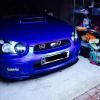
February 11, 201511 yr Author V5 just says Subaru Impreza and date of import. GDAE4HD is the model code. The bits that are different: Fog light covers should be swrt yellow sticker Standard blue grill badge Swrt (small) sticker on doors and wing edges. It's has seats with swrt logo. 5 speed box not 6, just Impreza on clocks, no pink stitching around steering wheel or handbrake. Just plain black. Red brake calipers Drive fast, Race faster
February 11, 201511 yr To be fair I wouldn't go on the v5 mine was imported as a gl na forester which it clearly isn't best way would be to run the bin number against the forester register
February 11, 201511 yr Author V5 doesn't prove much anyway like you say. My mini GP was on the v5 as mini Jcw! Nothing like it is Drive fast, Race faster
February 11, 201511 yr only thing I could find - sorry not much details but some nice photos http://www.subaru-impreza.de/SonderserienENG.htm#WR-LimitedWRX04 http://www.subaru-impreza.de/Sonderserien/WR-LimitedWRX04.htm
February 12, 201511 yr Author That's all I managed to find so far, that I could read Drive fast, Race faster
February 12, 201511 yr Sorry I'm an idiot for some reason I thought you had a foz sti ? To much on me mind.
February 12, 201511 yr Too much stressing about the concidental breakdown of my car a day after a remap [emoji52] getting it in the neck from the misses etc... anyway back on topic, there's a company somewhere on the Web that does all the stickers and badges for just about every subaru edition. I'll try and find the page,
February 12, 201511 yr Author They never understand! Mind you all I was told was sensible car next. Defined in her words as 4 door :-) hence getting this scooby :-) Thanks for helping out with the stickers! Drive fast, Race faster
February 12, 201511 yr http://www.subarubits.co.uk/Rally%20Decals%20and%20Stickers?page=6 Basically if they haven't got what you want they'll make them
February 12, 201511 yr Author I checked against my applied model code on the VIN plate. And compared across a few websites. All the spec matches up, except the changes someone has made to mine already. Code is GDAE4HD Drive fast, Race faster
February 12, 201511 yr Author Pretty much, seats are different, I think the interior too. Hopefully you can see photos.... Will google more specs later tonight regarding if any engine or suspension differences Drive fast, Race faster
February 12, 201511 yr trying find the wheels, Bet they are RAYS or something quite rare Might be able to find something similar but BK or the likes
February 12, 201511 yr Author The wheels in the background are similar to what I have but painted black (badly) The others are pretty tasty! Wouldn't mind getting them back on Drive fast, Race faster



Create an account or sign in to comment