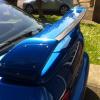
March 4, 201511 yr Welcome to the club! Stunning looking p1. I'm in awe, the paint looks so shiny I wouldn't want to drive it anywhere. Have you had it long?
March 4, 201511 yr Author Not really, decat exhaust some clear indicators, just small stuff really. Have keep all the original bits, even exhaust so can put back to standard if needed.
March 4, 201511 yr Wotcha and welcome - that is a mint example - all my dad had was a rusting morris van - not the cool round one the white square thing - all I did was road test it enough to require a head job - burnt a bit of oil due to the odd valve being bent and not seating properly :lol:
March 4, 201511 yr Mean car bro Love P1 I was thinking of getting a version six type r limited I hope you never sell keep it for future generation to enjoy :-) Sent from my iPhone using Tapatalk
March 5, 201511 yr Nice! Very rare to find unmolested P1's these days. Nice that you kept the original parts, for me special editions should be kept stock, worth more £££'s in the long run.
March 5, 201511 yr Welcome nice to see another untouched P1 like mine. Always puts a smile on my face to see one.
March 5, 201511 yr Hi n welcome . Lovely clean p1 you've got their bud [emoji106] Looks like you're dad looked after it [emoji4]



Create an account or sign in to comment