November 2, 20169 yr Welcome [emoji2] great car, you'll love every minute.. I do and 40,000 miles in already [emoji12] Sent from my iPad using Tapatalk
November 2, 20169 yr Author Thanks guys ! Its funny how it makes me feel, im 36 and feel 18 again lol is that just me !!!!
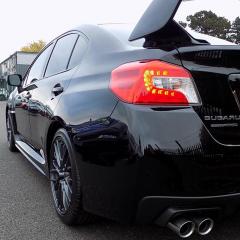
November 7, 20169 yr Very nice indded. Local delaer has a new black STi in the showroom at the moment just like yours and it looks very smart (not as nice as white though )
November 7, 20169 yr Author Done 300 miles and it's killing me !!! Reallly wanna open her up !! Not experienced full power yet only up to 4K rpm I guess beyond that it gets interesting?
November 8, 20169 yr Thanks guys ! Its funny how it makes me feel, im 36 and feel 18 again lol is that just me !!!! Nope not just you, I'm 41 and similar [emoji12] sod growing up I'd rather enjoy life [emoji39] Sent from my iPad using Tapatalk
November 17, 20169 yr Love the black. Hopefully won't show dirt as bad as mine. Washed it yesterday and took it out for a bit just looked at it this morning and it's covered in dirty again [emoji31] the joys of a red car in the winter. Sent from my iPhone using Tapatalk
November 17, 20169 yr Very nice. regardless of the colour I think they all look amazing. Enjoy the car, I know you will have loads of endless fun in it. Richie.



Create an account or sign in to comment