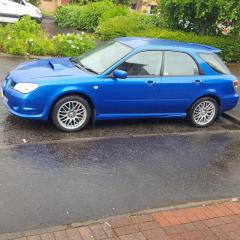
August 30, 20169 yr They add 20hp each so why not!! Nah... I watched Wheeler Dealers the other day and they were working on a bugeye, they put black racing stripes on a silver car and I thot it looked daft :D
August 30, 20169 yr I heard the same, it's meant to make it go really really fast but like not ruin your mpg. Not sure if they map them in or something.
August 30, 20169 yr Massive no from me but what ever floats ur boat most ppl dont like the size of my spolier but i love it
August 30, 20169 yr I'm with Tidgy what ever you like mate. not a fan myself. But if all car's looked the same it would be boring.
August 30, 20169 yr I de badge most of my cars as I like the "clean lines" look but hey modding is about putting "your" mark on a otherwise standard common looking car imo . So do whatever floats yer goat bud [emoji6] If it's not broke .....upgrade it 😊
August 30, 20169 yr I don't mind seeing them stickered up more so with the WRC decals mainly because it just pisses so many off on scooby.net but it shows the following Subaru still has in a sport that's it's no longer in sadly. Mind you wrc has gone down hill IMO still like it but not the same
September 4, 20169 yr Used to love the Wrc and used to follow it around...but its got s**t now and full of Renault's, S*itroen's and Fords. F**kin boo. Nothing like the legends Mcrae and Burns days. Sent from my SM-G930F using Tapatalk



Create an account or sign in to comment