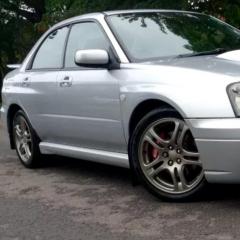
October 20, 20169 yr hi all, now I guess this question could open a can of worms, but....... i need a couple of front tyres for my wrx. I'm not a racer, I don't go to tracks, just normal every day driving with the occasional faster driving (as the law states for Impreza owners lol). What would you recommend? P zero nero's are currently on there now. many thanks
October 20, 20169 yr You can't go wrong with Goodyear F1's in my experience. Sent from my iPhone using Tapatalk
October 21, 20169 yr I've run Good Year eagle F1 asymmetric 2's on my last two cars and I've gone for eagle F1 asymmetric 3's on my STI. I really rate them, especially in the wet.
October 22, 20169 yr On 20/10/2016 at 10:32 PM, Buggyeye said: i use toyo proxies T1-R Found these didn't last long when running these
November 8, 20169 yr Helped me alot aswell thanks guys. Was keeping my eye on the toyo proxies so intresting to hear from some that have used them
November 9, 20169 yr Didnt mind Toyo T1R's however went from them to Conti Sport Contacts and found they were better in the wet and quieter, now 3 sets in and still happy with them.
November 9, 20169 yr Yokohama AD08R's ....Best tires ive ever owned and driven with Have a look into them :P James



Create an account or sign in to comment