Do Not Sell My Personal Information Jump to content
View in the app

A better way to browse. Learn more.

Subaru Owners Club UK | Subaru Forums

A full-screen app on your home screen with push notifications, badges and more.

To install this app on iOS and iPadOS
  1. Tap the Share icon in Safari
  2. Scroll the menu and tap Add to Home Screen.
  3. Tap Add in the top-right corner.
To install this app on Android
  1. Tap the 3-dot menu (⋮) in the top-right corner of the browser.
  2. Tap Add to Home screen or Install app.
  3. Confirm by tapping Install.

Featured Replies

Hi Guys,

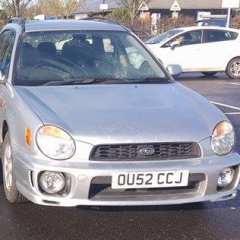
Got my first Subaru today and it's been amazing so far. Was carried 200 miles by @Elliott to pick her up and the drive home couldn't have been any smoother. Mine's the gray one - pic taken when we stopped half-way at some services.

Great to finally be on the forums!

-Kieran

The Crew.jpg


Subueee friends forever :happy:

welcome to the club :smile:

  • Author
Just now, aucky said:

welcome to the club :smile:

Thank you! :)


Welcome to the forums mate

Sent from my SM-G920F using Tapatalk

Create an account or sign in to comment


Background Picker
Customize Layout

Configure browser push notifications

Chrome (Android)
  1. Tap the lock icon next to the address bar.
  2. Tap Permissions → Notifications.
  3. Adjust your preference.
Chrome (Desktop)
  1. Click the padlock icon in the address bar.
  2. Select Site settings.
  3. Find Notifications and adjust your preference.