majik_thighs
Members
-
Joined
-
Last visited
Everything posted by majik_thighs
-
In mud: http://youtu.be/OuCDHSvF9LE Swimming lessons: http://youtu.be/mDmAJuFJJUE Safety/accident avoidance: http://youtu.be/Q7dVFY5CxT0 Vs the rest: http://youtu.be/0_MXK2nzt2Y Subaru.....there is NO substitute!! B)
-
The cream leather looks brilliant with the black paintwork!....WD 40 usually removes most marks.
-
There's a YouTube video showing how to remove the little cubby hole and vents. Only clipped in. Check for the loom. Sent from my Galaxy S 5 using Tapatalk
-
I'll second that! .....specially the 3 litre outback. Sent from my Galaxy S 5 using Tapatalk
-
Of course you have Dave.....................a momentary lapse of brain-engagement there.
-
Have you checked his other items?.........he has a very nice set of what look like leather or half leather seats that would look good in yours.
-
What a childish thing to do!.........................works with the windscreen washers as well just incase you don`t have headlamp washers. :)
-
I had a go at this today: Its not as difficult as it looks really, but I am a Karndean/Amtico installer which means I do know the angles and stuff.
-
Exactly the same here, its my workhorse. Also we live on a hill and the driveway is quite steep, 1 inch of snow is enough to beat the neighbours X5 but it takes a lot more than that to defeat the woman in black.
-
In fact he's so unhappy he underlined everything.
-
-
Well I really do like the look of it. I've heard them mentioned on here but never seen one. Similar to the original mitsubishi outlander but better looking. Sent from my Galaxy S 5 using Tapatalk
-
Pistols at dawn sir!! :D I meant between the Leg and the OB...never ever seen an XV but my my they look nice! ;)
-
-
The OB has stronger more off-road suspension and overall is a more rugged car for off-road. It feels like you could drive through a wall in it. Which Meguiars have you used Dave?
-
If you did fit the navigation unit it has the mileage info and service info and a whole lot more. Sent from my Galaxy S 5 using Tapatalk
-
You also get a 12 volt lighter socket in the arm rest. Sent from my Galaxy S 5 using Tapatalk
-
You could do with obtaining a workshp manual, it should show the wiring etc.
-
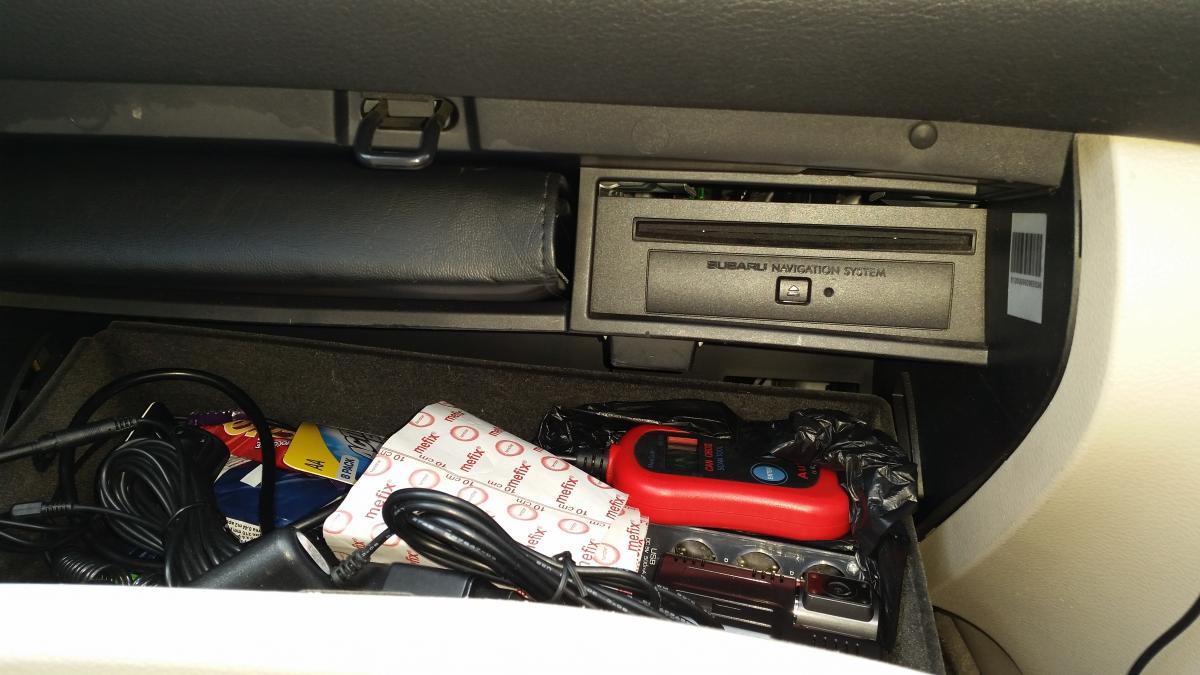
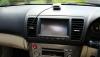
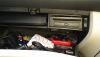
And i`m also not sure, i`ll take a pic of mine so`s you know exactly what it replaces. The nav DVD unit is fitted inside the glove box top right hand side.
-
Ive always liked the look of the hatch, 1st saw it in "The Prisoner" re-hash with Ian McKellen and Jim Caviezel. Yours looks the biz!
-
Any idea how much these were when brand new? Sent from my Galaxy S 5 using Tapatalk
-
The Outbacks come with Geo`s as standard kit from new, really good all-year rounder!
-
Tis very much like my own 2005 3ltr..........Welcome! :)
-
I think that the little stud on top could be the sensor for the dash illumination. Sent from my Galaxy S 5 using Tapatalk
-