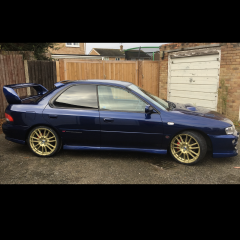
December 7, 20169 yr Good on yer ,i didnt get my scooby until i was 41 now wish i had done it sooner 😆nice looking classic that as well enjoy😊
December 8, 20169 yr Now after getting one, time to look up vids of subarus pulling out stuck lorries :) Sent from my iPhone using Tapatalk
December 9, 20169 yr Author So are there any good Subaru meets happening next year? Do they even take place?
December 9, 20169 yr Regional or national ? We'll have a club stand at santa pod for at least one of the japshow, and maybe others if enough interest shown. As for regional meets have a look in the section as I can't see where you are on tt Sent from my SM-G930F using Tapatalk
December 9, 20169 yr We have a Xmas meet this Saturday at 6pm. Galleon Blvd, Dartford DA2 6QL You're more than welcome to pop by.
December 9, 20169 yr Author Thanks scooby ghost, please let me know about others that come up, unfortunately I'm at a works Christmas doo on sat 😔😔.... how many normally turn out?
December 14, 20169 yr Age 43 and just picked up my 1st UKturbo2000... love it, love it, love it .... I was 43 when i got mine 👍 Sent from my SM-G935F using Tapatalk



Create an account or sign in to comment