GeoffLeggy
Moderators
-
Joined
-
Last visited
Everything posted by GeoffLeggy
-
Hi What are the dimensions?
-
-
-
-
@neil97rs not unless it's and S.O.C sticker
-
I never got round to trying Federal 596RSR's. Might be worth a go next time
-
I love a semi . They are great tyres. Good alternative to the main stream R888
-
-
I think I'm 38 this year and I think the Legacy was my 36th car.
-
-
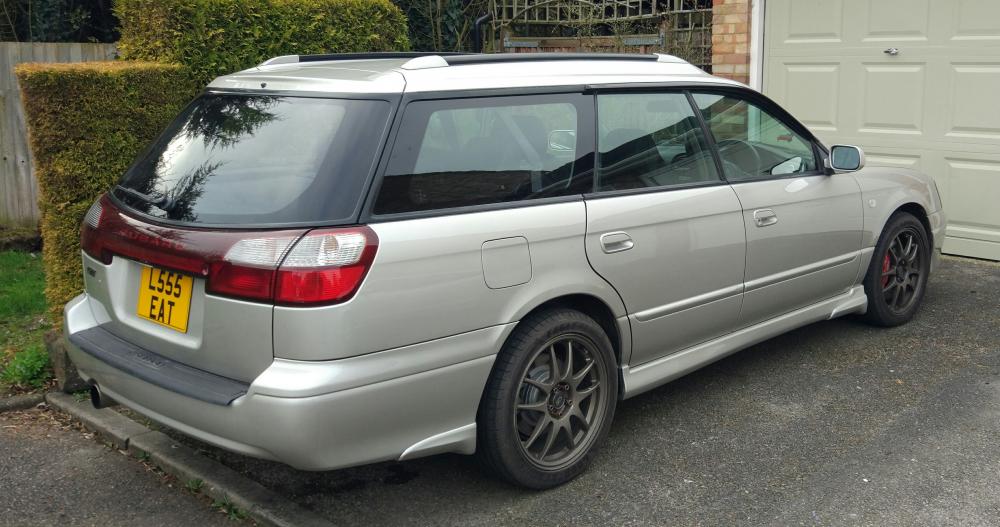
Well today I finished my project!! Exhaust quietened down. The guys did a great job, added a stainless centre section. Its amazing how much quieter it is. I'm done now, went over budget of course lol. Actually needs a proper polish
-
You might save a couple of quid but it's about rightSounds goodGood day all! First show of the year will soon be upon us. This is a fantastic start to year and I would say not to be missed. All members are invited to the buy tickets and park up on the S.O.C stand area. Its a great chance to meet fellow members and see the biggest selection of Jap car !Removed! the year will likely offer. Lots of trade stands and track action and you even get a free T Shirt . The Japfest site sells it better than I can so have a look http://www.japfest.co.uk/ To secure your place on the S.O.C stand, make sure you click the below link which takes you straight to the Club Tickets section. Simply click the tab and the rest should be self explanatory. Once you have selected Subaru Owners Club you'll need the below password. http://www.japfest.co.uk/club-tickets Password - 111.275 New cut off date 2nd April Ill be the first to add my name to the list and hope to see you there . Questions, let me know. GeoffLeggy HawkeyeLawrence scottrobo23 Allistair Legacy dave DaveRAC Sparky Sparky +1 (Sarah) Sclark01@HawkeyeLawrence I'm going to put the details up later mate in a separate threadHa yeah true. Must be a compromise somewhere.Get her down the garage quick before she changes her mind!Show me a wagon and I'll put it on my list@HawkeyeLawrence I'll find out mate.