December 2, 201510 yr Author thanks guys, really excited :) going to have to get him a subaru hoody :)
December 2, 201510 yr Great stuff Tom....need that leggy turbo estate now for baby buggy etc lol Sent from my iPhone using Tapatalk
December 3, 201510 yr Congrats! Excited for you, good job! :D :D :D Great stuff Tom....need that leggy turbo estate now for baby buggy etc lolSent from my iPhone using Tapatalk Agree with David, youll def need a twinscroll now!
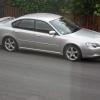
December 3, 201510 yr Author haha thanks for the replies gents I'm totally going to have to get one of these... http://www.ebay.co.uk/itm/SUBARU-STICKER-BABY-ON-BOARD-IN-WHITE-WRX-STI-LEGACY-FORESTER-/252192776886?hash=item3ab7dc62b6:m:mJa7A0jps7d9a-fjjaPVEqw I mentioned the upgrade, she said "No, the pram will fit fine in your car" which is true i guess lol.
December 3, 201510 yr She owes you one mate...after all you gave her one [emoji14] Sent from my iPhone using Tapatalk
December 3, 201510 yr Get bigD to make one lol. So you won't be attending many shows next year :( lol.
December 5, 201510 yr Author I'll still be going to NBO, but probably not the others. Would be a too far to drive with a baby.
December 6, 201510 yr Congratulations Tom. Just got news of our second. Weve made it to 13 weeks [emoji5]



Create an account or sign in to comment