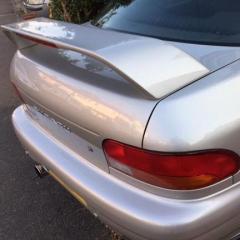
September 21, 20169 yr Hi Guys n Girls Just thought I'd say "hello" and yes I've finally managed to buy myself a Classic Subaru & to join this club!!!!!! Fell in love with them many many years ago, but circumstances and the image (insurance was a nightmare) made it not possible. I am currently the proud owner of a very clean Subaru Impreza UK 2000 Turbo, Version 5, model GC8, which is totally stock at the moment. Looking forward to car meets (JapShowFinale), etc. so please be patient if I ask some really daft questions :) First port of call for me though is Mapping, just to see some stats. Anyway, enjoy your day. KlassicSubi
September 21, 20169 yr Author Cheers guys, really appreciate it. I've just got my ticket to the Japshowfinale, I pop by and say hello.
September 21, 20169 yr 13 minutes ago, GeoffLeggy said: Welcome! I think @Gambit still has a club pass if you want to join us there? I can send you a pass as Geoff the top bloke that he is has pointed out cover postage you're more than welcome to join us on club stand mate. And don't worry f you think it is show ready we're not like that as long as you can have a laugh and enjoy meeting us crazy bunch is fine



Create an account or sign in to comment